_Edit: Added comments from IWannaMakeStuff_ _Edit: Added additional pics of wiring and more info on hinges_ _Edit: Added link to new RPi fan_ _Edit: Added link to new RPi buck converter_ _Edit: Added link to drill jig for leg extensions_ _Edit: Added link to Jures filter stack_ _Edit: Added taller upper leg for a total height of 95.3mm_ _Edit: Added taller upper leg for a total height of 100.3mm_
Lets face it: If you bought a 3D printer, you like to tinker. You cant help yourself and are constantly making improvements (and improvements) to all kinds of things. That means an enclosure for the printer will be upgraded constantly. Therefore, I wanted a design that enables that. Primary design goals were
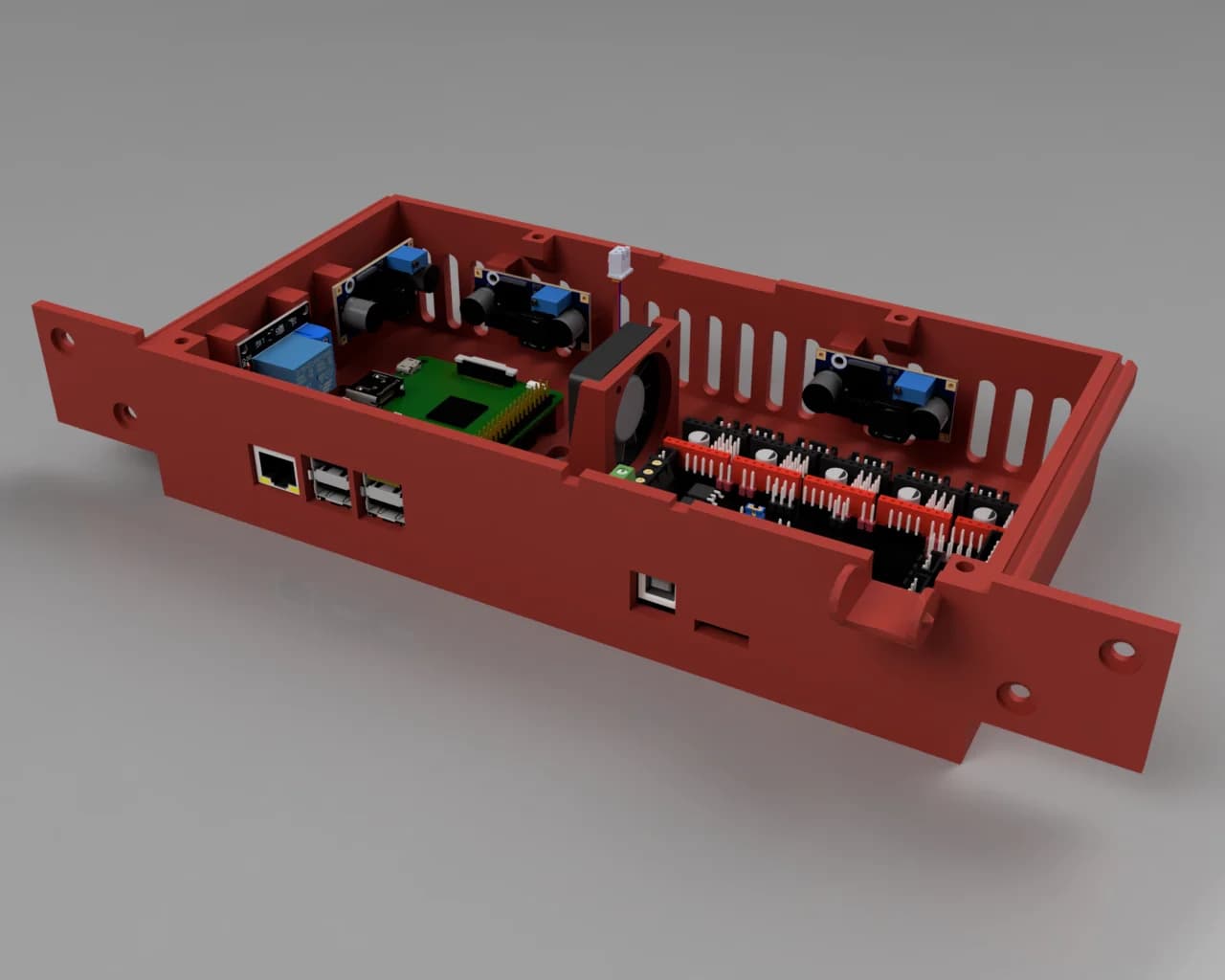
Sleek exterior. Basically a smooth cube all the way around. Clean looking interior Simple, fast, and full access to the printer within. Easy to mod down the road Spend money sensibly
Entire top needs to be removable Mount all electronics (basically) out of sight on the inside top Inset, flush walls and door Reconfigurable wiring External 12V power supply to avoid dealing with mains voltages
So I started with two Ikea Lack tables ($16 total) like many others and went from there. I tried to keep the rest of the costs down but didnt want to cut corners in terms of features or looks.
The Lack tables are not tall enough to fit a printer comfortably, so extensions are necessary. I wanted the ultimate in servicability, so what better way than making the entire top come off? Easiest way was to design two piece leg extensions. The cone design makes it trivial to assemble and its plenty sturdy. I stood on one of them which did not hurt it. Was contemplating some sort of locking mechanism to lock the top down but its not really necessary. The extensions use hidden screws and the corners are even rounded to match the radius of the Lack legs.
The whole top can be lifted off after disconnecting the Usb cable to the Rambo and unplugging the 12V supply to the top of the enclosure. Takes less than 10 seconds and you have full access to both the printer and all the enclosure bits. For further access, one or more of the side panels can then also be unscrewed.
The F360 archive contains the complete parametric design. Select Change Parameters and you can adjust the design at will. See screenshot. Turning the Analysis section on and off toggles the cut planes, Fyi. The STLs are sized for a 50.3mm extension. Its that value because I thought it would make it square. Except I didnt account for the fact that the legs are slightly inset.;-)
For much easier mounting of the extensions, print out [this great jig](http://www.thingiverse.com/thing:2117852) by lukefeil.
Side and Rear Walls
While transparent walls look cool, they have a couple of disadvantages
Heat insulation Price Ease of working with them
I went cheap(ish) and easy using 6mm thick [foamed Pvc](
Easy to work with. Can cut nicely with a jigsaw using a Pvc blade. Trivial to screw into. Fairly sturdy, one could easily mount (lightish) things to them if one wanted.
They are held in place from the inside with four printed brackets each (F360 Small Parts, Panel Bracket.stl). The brackets are thicker on one side to allow me to use the screws I had laying around. The screws are small sheet metal screws and have nice big heads. Plus they are black. I used them throughout.
Its useful to make a little jig before drilling the holes. Way easier than measuring.
I used cheap foam insulation tape to seal the walls, sticking the tape to the legs so the panes can be removed while leaving the tape in place.
Door:
Used [3mm acrylic (Plexiglass)](for this.
Hadnt worked much with acrylic in the past but had sufficient respect so I didnt botch it completely. Tried the score and break method first but I guess I wasnt patient (deep) enough with the scoring. Ended up doing rough cuts with the same Pvc blade in a jigsaw and then sanded it down using a layered sandpaper wheel in an angle grinder. I used an aluminum angle as a guide during the sanding.
Went to a local hardware store to see what hinge designs were available. I had contemplated printing some but didnt want them on the outside. The mechanism for inside hinges is a bit involved, so buying them seemed like a better option. I found a style that worked well with two exceptions: Looks and very strong springs. The looks were easy to hide behind little printed cover plates (F360 Small Parts archive, Hinge Cover.stl). The spring and its casing can actually be completely removed. Since its nice to have the open door hold open by itself, I instead decided to replace the spring with a much weaker one I had laying around. Pardon the C-clips on the back of the hinges. I didnt have any regular black screws;-) Incidentally, those screws are the only externally visible ones on the whole enclosure. Avoiding them seemed more trouble than it was worth.
_Edit:_ I believe these are the hinges I picked up: The cylinder in the center of the hinge can be removed. The spring is hidden inside.
_Edit:_ Comment from IWannaMakeStuff: A couple of hardware/parts notes: The Home Depot hinge you linked does indeed work as designed, but note it does not match the footprint of the hinge cover file you included without modification. To match I printed X at 44mm instead of 48mm. Y (48mm) and Z (0.8mm) remained as they were and were fine. However, make sure you measure the screw locations carefully as they dont line up where you might expect. Instead of sheet metal screws, I used M3 x 12mm screws and nuts, though Ill probably upgrade to lock nuts when I replenish my supply. For the handle, I used this with two M4 x 16mm screws and lock nuts: http://www.thingiverse.com/thing:36465
The door is held closed by a magnetic pusher from my parts bin. Used epoxy to glue a washer to the door for the magnet to grab.
_Edit:_ Comment from IWannaMakeStuff: I like your hinges but I prefer an alternative door handle, so Ive created a magnetic bracket that can be used with different handle styles. You can view it at the link below. Please feel free to add it to your description if you find it useful.:-) http://www.thingiverse.com/thing:2186895
To seal the sides and top of the door, I used this [automotive rubber casket](One could use it all over the place but its significantly more expensive than the foam tape. Looks the part and works well.
Filament Guide in Top Surface
I used a scaled down version of a Thing I found, but I appear to have lost the original link. Sorry.
This is behind the door since it looks cleaner and the buttons dont really need to be accessible with the door closed. Files are called Thermometer_Power_Switch_Box.
[Power button](- Turns on lights and fume control fan (the Pi is constant on).
[Fan override button]() - Turns on all exhaust fans, indicates when exhaust fans are on (either aut
Источник: http://www.thingiverse.com/thing:2117852
Автор: zuspiel
Лицензия: Creative Commons - Attribution
Другие модели автора
Все моделиСкачать Удобный корпус Lack — 3D-модель для печати на 3D-принтере
Скачать Удобный корпус Lack — 3D-модель для печати на 3D-принтере. Файл загружен автором Katalog3D на маркетплейс Каталог3Д и доступен для скачивания в формате STL или 3MF.
Лицензия. Перед использованием ознакомьтесь с условиями лицензии в карточке модели. Одни файлы разрешают только личную печать, другие — коммерческое использование. Подробнее — в разделе лицензии.
Смотрите также: другие модели этого автора, похожие файлы по тегам — ikea lack, prusa i3 mk2.